 PixScript
How to Translate Spanish Video to English
How to Translate Spanish Video to English
You come across a Spanish YouTube video you need to understand, but there are no English subtitles. Or a client sent a Spanish recording and you need the full content in English by morning. Either way, you need to translate that Spanish video to English without spending hours on it.
The good news: AI tools handle this in under 2 minutes for most videos. The process goes like this: transcribe the Spanish audio, translate it to English, then download the result as a subtitle file or plain text.
To translate a Spanish video to English, paste the URL into PixScript if the video is on YouTube, TikTok, or Instagram. The AI transcribes the Spanish audio and translates it to English on request. Download the result as SRT for timestamped subtitles, VTT for browser-based players, or plain TXT. The whole process takes about 90 seconds. Translation is a Pro feature at $9/month.
PixScript translates Spanish YouTube videos, TikToks, and Instagram Reels directly from the URL. No video download needed. Pro at $9/month (or $69/year) includes translation into 10 languages with SRT and VTT export. Try it at pixscript.com.
What "Translating" a Spanish Video Actually Means
Two different things get called "video translation," and they produce different outputs.
Transcript translation converts the Spanish audio to text, then translates that text to English. You end up with an English transcript, an SRT subtitle file, or a VTT file. The original video audio stays in Spanish. This approach is faster, cheaper, and works for any recorded video.
Audio dubbing replaces the Spanish audio track with synthesized English speech. The video plays in English as if it was recorded that way. Dubbing requires specialized tools, more processing time, and usually higher cost. It makes sense when you're distributing the video publicly and want the audio to match the visuals.
For most situations (following along with Spanish content, reviewing a recording, creating English captions), transcript translation handles the job.
Spanish is one of the best-supported languages for AI transcription and translation. Modern speech recognition models, including OpenAI's Whisper (trained on 680,000 hours of multilingual audio), achieve 85-95% accuracy on clear Spanish audio and 75-85% on accented or noisy recordings. Regional accents (Mexican Spanish, Castilian, Rioplatense) don't significantly affect modern models, though heavily accented speakers with background noise can lower accuracy toward 70%. For translation, neural machine translation between Spanish and English reaches roughly 90% semantic equivalence. Spanish is a high-resource language: AI models have trained on hundreds of millions of Spanish-English sentence pairs, far more than most other language combinations. The meaning carries across cleanly even when the exact phrasing changes. Processing time for a 60-minute Spanish video runs 30-90 seconds, compared to 4-5 hours of manual transcription plus additional hours for human translation.
How to Translate Spanish Video to English with PixScript
PixScript combines transcription and translation in one workflow. Here's how it works:
Step 1: Paste the URL or upload the file
For Spanish videos on YouTube, TikTok, or Instagram Reels, copy the URL and paste it into the PixScript dashboard. For videos from other sources (a recorded Zoom call, a Spanish podcast file, an MP4 presentation), use the file upload in the dashboard. PixScript accepts MP4, MOV, WEBM, MP3, M4A, WAV, and most common audio and video formats up to 500 MB.
Step 2: Wait for the Spanish transcript
PixScript transcribes the audio in the background. For a 10-minute Spanish video, this takes under 30 seconds. For a 60-minute file, expect 30-90 seconds. The transcript appears in Spanish first.
Step 3: Translate to English
In the transcript view, select English as the output language. PixScript pushes the Spanish text through its translation engine and returns the English version. Pro accounts include translation into 10 languages; Business accounts cover 50 or more.
Step 4: Download your format
Export as SRT for timestamped subtitles that work in VLC, Premiere Pro, DaVinci Resolve, and most video editors. Download as VTT for web-based players and YouTube caption uploads. Choose TXT if you just need the written content. The timestamps from the Spanish source carry into the translated file, so English subtitles sync to the video without any manual adjustment.
What you get in the output
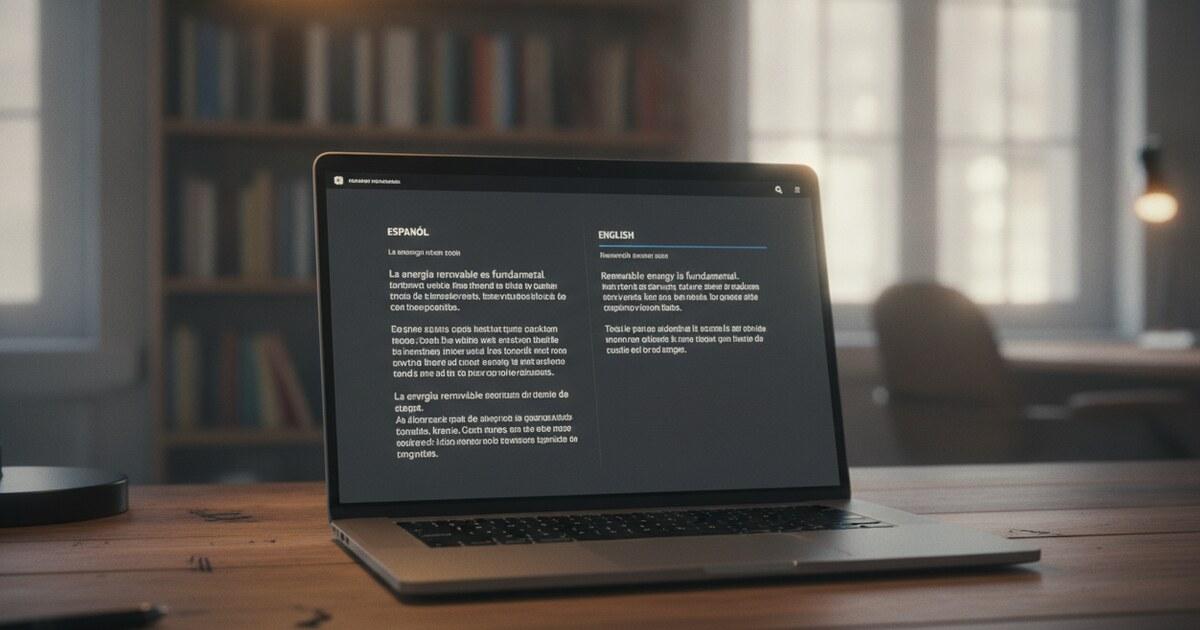
With a Pro account, you can view the Spanish transcript and the English translation as separate views. Download either one in your preferred format. The SRT or VTT file has the original timing intact but the text in English. Load it into a video editor or upload it to YouTube's subtitle manager to add English captions to Spanish content.
Need an English transcript of a Spanish video now? Head to pixscript.com, paste the URL, and you'll have the translated text in about 90 seconds. Pro starts at $9/month.
Translating Spanish Videos from YouTube, TikTok, and Instagram
For the three platforms where most Spanish video content lives, PixScript's URL method removes the download step entirely.
YouTube: Paste the full video URL including the video ID. YouTube Shorts work the same way. If you watch Spanish YouTube content regularly, the PixScript Chrome extension (available for YouTube only) adds a one-click button to any video page. Open the video, click the PixScript button, and the transcript pulls directly into the extension. You can copy the text, export it, or translate it without leaving the YouTube tab. For a full walkthrough of the YouTube-specific steps, see how to translate a YouTube video.
TikTok: Copy the share link from any Spanish TikTok and paste it into PixScript. The tool transcribes the audio regardless of whether the creator added their own captions.
Instagram Reels: Use the Reels share URL. PixScript handles the audio extraction and transcription directly from the link.
For Spanish content from other platforms, download the video file and upload it to PixScript. The 500 MB file limit covers roughly 50-60 minutes of standard compressed video. For longer Spanish content, consider splitting the file or using the Business plan for extended processing limits.
Free Options to Translate Spanish Video to English
A few approaches cost nothing, with trade-offs worth knowing.
YouTube's built-in auto-translate works on most videos with auto-generated captions. Click the CC icon, go to Settings, then Subtitles, then Auto-translate, and choose English. It's free and shows translated captions in real time. The limits: it only works on YouTube, it can't export the subtitle file, it doesn't work on private or unlisted videos, and translation quality varies depending on the original audio.
PixScript's free tier gives you 10 transcripts per month with 5-minute video limits and TXT export. Transcription is free; translation is a Pro feature. On the free tier, you'd get the Spanish text and then paste it into a service like Google Translate for the English version. That's a manual step, but it works for occasional use.
Pro at $9/month (or $69/year) adds translation into 10 languages, SRT and VTT export, 30-minute video limits, and unlimited transcripts. At any reasonable volume of Spanish content, the per-translation cost drops to essentially nothing.
For a broader look at tools that handle Spanish video translation, see the comparison of AI video translator tools.
Frequently Asked Questions
Can I translate a Spanish YouTube video to English for free?
Yes, with limits. YouTube's built-in auto-translate shows English subtitles on any video with auto-generated captions. If the video has no auto-captions, or if you need an exportable subtitle file, you'll need a transcription tool. PixScript's free tier covers transcription (you get the Spanish text), but translation to English requires the Pro plan at $9/month.
How accurate is AI translation from Spanish to English?
For standard spoken Spanish in clear audio, accuracy is high. AI translation between Spanish and English reaches roughly 90% semantic equivalence, meaning the content comes through clearly even when the phrasing adapts. Heavy accents, overlapping speech, or background noise lower transcription accuracy first, which then affects translation quality downstream.
Does PixScript translate Spanish TikTok and Instagram videos?
Yes. Paste the TikTok or Instagram Reels URL into PixScript and it transcribes the Spanish audio and translates it to English on the Pro plan. The workflow is the same as YouTube: paste the URL, wait for the transcript, translate, then download as SRT, VTT, or TXT.
What's the difference between an SRT file and a plain text transcript?
An SRT file includes timestamps so the English text syncs to the video playback when you load it in a player or editor. A plain text transcript is the spoken content without timing. For watching the video with English captions, use SRT. For reading or repurposing the content, plain text works fine. If you're deciding between SRT and VTT specifically, this guide to SRT vs VTT subtitle formats covers the differences.
Can PixScript handle uploaded Spanish audio files, not just video URLs?
Yes. File upload accepts MP3, MP4, M4A, WAV, MOV, WEBM, and other formats up to 500 MB. Upload a Spanish audio file from a recorded meeting, podcast episode, or any other source, and PixScript transcribes it and translates it to English on Pro. The result is the same: Spanish transcript plus English translation in your format of choice.
PixScript translates Spanish YouTube videos, TikToks, and Instagram Reels directly from the URL. Paste the link, get the English transcript in about 90 seconds, and download it as SRT, VTT, or plain text. Start translating at pixscript.com.