 PixScript
YouTube Video to Blog Post: How to Convert in Minutes
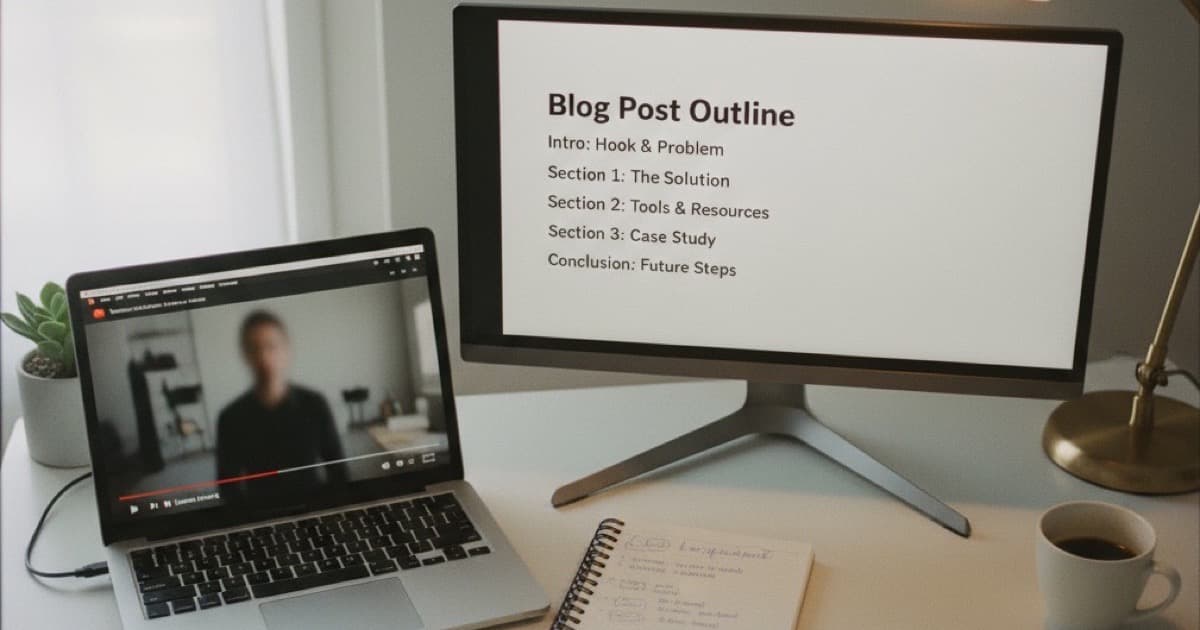
You published a great YouTube video. It got views, comments, engagement. But Google can't watch your video. It can read a blog post. Every video you've made is sitting on search traffic you're leaving on the table because it only exists in one format. A youtube video to blog post converter takes your video's transcript and turns it into a written article, giving you a second shot at ranking for the same topic.
A YouTube video to blog post converter extracts the transcript from a video, then uses AI to restructure the spoken words into a written article with proper headings, paragraphs, and formatting. The best approach in 2026: pull the transcript with timestamps, then use AI rewrite tools to reshape it into blog-ready content. The whole process takes under 5 minutes.
Why Convert YouTube Videos to Blog Posts
The math here is straightforward. You already did the research, scripted the content (or at least talked through it), and recorded the video. The ideas exist. They're just trapped in a format that only one platform indexes well.
Here's what you get by turning videos into blog posts:
- Double your search footprint: Google's video carousel shows maybe 3 results. The organic blog results show 10. You can rank in both with the same content in two formats
- Capture different audiences: Some people watch. Some people read. Some people skim. A blog post reaches the readers and skimmers your video misses
- Build backlinks: Other bloggers link to written content. Almost nobody links to a YouTube video in a citation. Blog posts collect backlinks that videos don't
- Improve your video's SEO: Embedding your video in the blog post sends watch signals back to YouTube. Google also prefers pages that combine text and video (multi-modal content gets ~156% higher AI citation rates according to recent SEO research)
Converting YouTube videos to blog posts creates a content flywheel that compounds over time. Each video you repurpose doubles your indexable content without doubling your production effort. A single 10-minute YouTube video typically contains 1,500 to 2,000 spoken words, which is the ideal length for an SEO blog post. The transcript provides the raw material: your expertise, your examples, your explanations. What it lacks is structure. Spoken content wanders, repeats itself, and relies on visual context that readers won't have. The conversion process strips out filler ("um," "you know," "as I mentioned"), reorganizes ideas into a logical flow with H2 headings, and adds context that the video conveyed visually. Creators who repurpose systematically report 30 to 50% more organic traffic within 3 months because they're covering the same topics in two formats that Google indexes separately.
How to Convert a YouTube Video to a Blog Post (Step by Step)
Step 1: Get the Transcript
You need the full text of what was said in the video. There are a few ways to do this:
- YouTube's built-in captions: Click "Show transcript" under a video. It's free, but the text is choppy and has no punctuation. You'll spend 20 minutes cleaning it up
- A transcription tool: Paste the YouTube URL into a tool like PixScript and get a clean transcript with timestamps in about 30 seconds. You can export it as TXT, SRT, or PDF depending on what you need
The transcript is your raw material. Don't skip this step and try to rewrite from memory. You'll miss points, get facts wrong, and spend twice as long.
Step 2: Clean Up the Transcript
Spoken English reads terribly as written English. Your transcript will have:
- Filler words ("so," "basically," "right?")
- Repetition where you explained something twice for emphasis
- Tangents that worked on camera but don't fit a written article
- References to visual elements ("as you can see on screen")
Cut all of that. Keep the ideas, ditch the verbal padding.
Step 3: Restructure Into Blog Format
A video follows a linear flow. A blog post needs scannable structure. Take your cleaned transcript and:
- Write an intro (2 to 3 sentences): State the problem and preview the solution
- Break content into H2 sections: Group related ideas under clear headings. Each heading should tell the reader what they'll learn in that section
- Add bullet points and numbered lists: If you listed 5 tips in the video, format them as a list. Readers scan lists faster than paragraphs
- Write a conclusion: Summarize the key takeaways in 2 to 3 sentences
Step 4: Add What the Video Can't
A blog post can include things your video couldn't:
- Internal links to your other articles (helps SEO)
- External links to sources and references
- Updated data if anything changed since you filmed
- Code snippets or tables that are hard to show on camera
- A clear CTA at the end
Step 5: Optimize for SEO
Your video probably ranked for certain keywords on YouTube. Target the same keywords (or close variations) in your blog post:
- Put the primary keyword in the title, first paragraph, and at least one H2
- Write a meta description under 155 characters
- Add alt text to any images
- Keep the URL slug short and keyword-rich
Using AI to Speed Up the Conversion
You can do all 5 steps manually. Or you can let AI handle the heavy lifting.
Here's the fastest workflow in 2026:
- Paste the video URL into a transcription tool to pull the transcript
- Use AI rewrite to restructure the transcript into article format. PixScript's AI rewrite feature does this in one click: it takes the raw transcript and outputs a formatted blog post with headings and paragraphs
- Edit the AI output: AI gets you 80% there. You still need to add your voice, check facts, insert links, and polish the writing. Budget 10 to 15 minutes of editing per post
- Add images and formatting: Pull screenshots from the video, add alt text, and format for your CMS
Total time: 15 to 20 minutes versus 2 to 3 hours of manual conversion.
What Makes a Good Video-to-Blog Conversion
Not every video translates well. The best candidates are:
- Tutorial or how-to videos: These already have a logical structure that maps to blog headings
- Listicle videos ("5 tools for X," "7 tips for Y"): Drop each item into its own H2
- Interview or podcast-style content: Lots of quotable material and expert insights
- Review or comparison videos: Convert into a structured comparison post with pros/cons
Videos that don't convert well: vlogs with no clear structure, live streams (too long, too unstructured), and reaction videos (too dependent on the visual element).
How PixScript Handles Video-to-Blog Conversion
PixScript strips the conversion process down to two steps. Paste your YouTube URL, and the tool pulls a full transcript with timestamps. Then hit "AI Rewrite" and select the blog post format. The AI restructures your spoken content into written paragraphs with headings.
You can also use the AI summary feature to generate a condensed version for social media posts or email newsletters. And because PixScript supports TikTok and Instagram Reels too, the same workflow applies to short-form content. Transcribe a Reel, rewrite it as a quick-hit blog post, and you've repurposed one piece of content into three formats.
The free tier gives you 30 minutes per month. The Pro plan ($9/month) gives you 300 minutes per month, AI rewrite, AI summary, and all export formats.
Frequently Asked Questions
Can I use a YouTube transcript directly as a blog post?
No. Raw transcripts read like someone talking, not writing. They have filler words, run-on sentences, no headings, and missing context that the video provided visually. You need to clean, restructure, and optimize the transcript before it works as a blog post. AI rewrite tools cut this process from hours to minutes.
How long should a blog post from a YouTube video be?
Aim for 1,500 to 2,000 words. A 10-minute video typically produces about 1,500 words of spoken content, which lands in the sweet spot for SEO. If your video was shorter, expand key points with additional detail. If it was longer, tighten the writing and cut repetition.
Does Google penalize repurposed content from YouTube?
No. Google treats blog posts and YouTube videos as separate content types. Having the same ideas in both formats isn't duplicate content because the formats are fundamentally different. Google actually rewards multi-format content with higher visibility across both search and AI answer engines.
What's the best free way to convert YouTube videos to blog posts?
Use YouTube's built-in transcript feature (free) combined with a free AI writing tool like ChatGPT to restructure the text. For a more streamlined workflow, PixScript's free tier gives you 30 minutes per month with TXT export. Either way, plan on spending 15 to 30 minutes editing the output.
Ready to turn your YouTube videos into blog posts? Try PixScript free and paste any video URL to get a transcript in seconds. Use AI Rewrite to convert it to blog format, then export and publish.