 PixScript
5 Best Otter.ai Alternatives in 2026
5 Best Otter.ai Alternatives in 2026
Otter.ai built its reputation on live meeting transcription. Connect it to Zoom or Google Meet, let it run in the background, and you walk away with a searchable transcript and AI summary. For that specific workflow, it's solid.
The problems show up the moment you step outside that lane. Paste a YouTube URL? Nothing happens. Upload a TikTok MP4 you downloaded? No option. Export an SRT subtitle file? The feature doesn't exist. For content creators, marketers, students, and anyone who needs to pull text from video content, Otter.ai has a gap wide enough to drive through.
These five Otter.ai alternatives fill it, each one better suited to a different part of the transcription workflow.
The best Otter.ai alternatives in 2026 are PixScript, Fireflies.ai, Descript, Rev, and Sonix. PixScript leads for video URL transcription and subtitle exports. Fireflies.ai is the closest meeting-intelligence swap. Descript suits video editors who want to cut content by editing text. Rev delivers verified accuracy for critical documents. Sonix handles high-volume automated workflows for teams.
Why People Switch from Otter.ai
Most Otter.ai complaints cluster around the same few pain points.
The meeting-only focus frustrates creators. Otter.ai works when a call is live. Once you're dealing with pre-recorded content (a YouTube video, a podcast episode, an Instagram Reel), you hit a wall fast.
The export options are thin. Otter gives you a text transcript. That's it. SRT files for video subtitles aren't available. VTT files for web players don't exist. PDF exports for clean documentation aren't an option. If subtitle generation is part of your workflow, you need a different tool.
Translation isn't built in either. For creators publishing across multiple languages, that's a meaningful gap.
And the free plan, while useful for occasional meetings, doesn't solve any of these structural limitations. More free meeting minutes still won't give you YouTube URL support.
The 5 Best Otter.ai Alternatives
Video transcription tools split into two categories in 2026. Meeting-first tools like Otter.ai join calls in real time, transcribe audio, and give you searchable notes with AI summaries. Content-first tools work differently: paste a YouTube, TikTok, or Instagram URL and get a timestamped transcript in seconds, with export options for SRT subtitles, PDF documents, and plain text files. The difference matters because most creators, marketers, and students don't need meeting transcription. They need to pull text from videos already published online. Otter.ai doesn't handle YouTube URLs at all, and it has no SRT or VTT export for subtitle work. Content creators who need to transcribe a YouTube video, extract a TikTok script for repurposing, or generate subtitle files for accessibility consistently find that meeting-focused tools leave them building workarounds that cost hours. Content-first tools were built specifically for this workflow, which is why alternatives like PixScript, Descript, and Sonix have pulled users away from Otter.ai by the thousands.
Here's how the five alternatives compare at a glance:
| Tool | Best For | Video URL Support | SRT Export | Free Tier |
|---|---|---|---|---|
| PixScript | Video content creators | YouTube, TikTok, Instagram | Yes (Pro+) | 10/month |
| Fireflies.ai | Meeting notes and AI summaries | No | No | Yes |
| Descript | Podcast and video editors | No | Yes | Yes |
| Rev | Verified accurate transcription | No | Yes | Pay-per-use |
| Sonix | High-volume team transcription | No | Yes | Pay-per-use |
1. PixScript — Best for Video URL Transcription
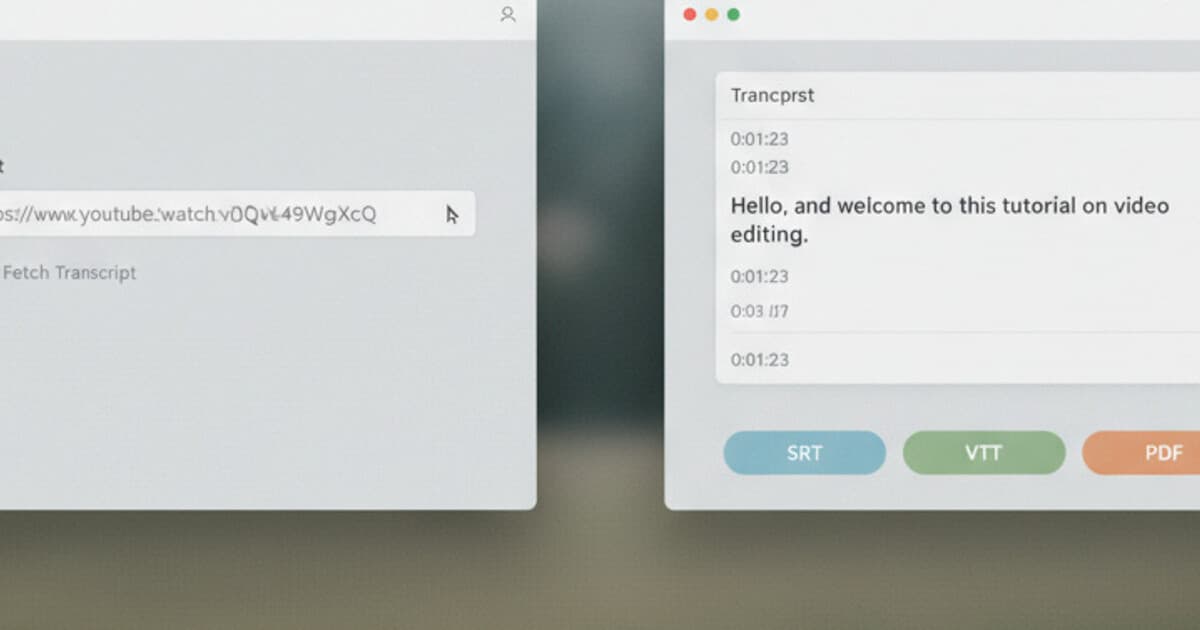
PixScript is built for content transcription, not meeting notes. Paste a URL from YouTube (including Shorts), TikTok, or Instagram Reels and it returns a timestamped transcript in seconds. Upload an MP3 or MP4 directly if the content lives on your device.
The export options are what separate it from everything else on this list. SRT and VTT files for subtitle work. PDF for clean documentation. TXT for drafts and notes. Business plan users also get Excel, JSON, and Markdown exports for more structured workflows.
The AI features go further than most tools in this category. An AI summary pulls out the key points from any transcript without you reading the whole thing. The AI rewrite takes that raw transcript and turns it into a formatted blog post, social media caption, or script draft. For anyone converting video content into written output, that saves real time.
Translation covers 10 languages on Pro ($9/month) and 50+ on Business ($19/month). Bulk URL processing queues up to 20 URLs at once on Pro, 100 on Business, which matters for agencies and creators with a backlog.
The free tier is usable: 10 transcripts per month across all supported platforms, text export only, with a 5-minute cap per video. Enough to test the full workflow before paying.
For a breakdown of how PixScript's accuracy stacks up against other automated tools, check our AI transcription accuracy comparison for 2026.
2. Fireflies.ai — Best Otter.ai Replacement for Meetings
If meeting transcription is your primary use case, Fireflies.ai is the closest direct swap for Otter.ai. It connects to Zoom, Google Meet, and Teams, joins your calls as a bot participant, and captures the transcript in real time.
The AI analysis goes deeper than Otter.ai does. Fireflies extracts action items, identifies speakers, tags topics, and builds a searchable meeting library. If you need to find "what did we say about the Q3 budget" three weeks after the call, it handles that search well.
The limitation is the same as Otter.ai: it's meeting-first. No YouTube URL support, no subtitle exports, no content repurposing tools. If you only need a better meeting transcription tool, Fireflies.ai earns its place. For anything video-content related, it won't help.
3. Descript — Best for Video Editors
Descript wires transcription directly into video editing. Upload your video or audio file, Descript transcribes it, and you edit the content by editing the text. Delete a sentence from the transcript and it disappears from the video. Overdub lets you correct audio mistakes by typing new words.
For podcasters and video editors, that's a useful workflow. For anyone who just needs a plain transcript, it's more tool than the job requires.
Descript exports subtitle files, which makes it more versatile than Otter.ai for video content. Pricing starts on a subscription model with a free tier for light use. If you're already doing video editing, it earns its keep. If you want simple URL-based transcription with fast exports, it's overcomplicated.
Our Descript alternatives roundup covers more on where it falls short for pure transcription use cases.
4. Rev — Best for High-Accuracy Transcription
Rev offers both AI transcription and human transcription. The AI option runs fast at a low per-minute cost. The human option delivers near-perfect accuracy, which matters for legal documents, medical records, or any content where errors aren't acceptable.
Pay-per-use pricing works well for irregular transcription needs. You pay for what you actually transcribe without committing to a monthly subscription.
Rev also exports caption and subtitle files, so the SRT gap that exists in Otter.ai is covered here. The limitation is scope: no URL-based transcription for social platforms, no AI content rewrite, no folder organization. Rev is a specialized accuracy tool, not a general-purpose transcription platform.
5. Sonix — Best for High-Volume Teams
Sonix handles large volumes of automated transcription with team collaboration features built in. Upload audio or video files, get transcripts quickly, and organize everything in a shared workspace. Translation and subtitle export are both available.
The credit-based pricing suits agencies and teams who transcribe in bursts rather than at a steady pace. The transcript search is strong and the interface stays clean even with large libraries.
The gap matches the other tools here: no social media URL paste. If you need to transcribe YouTube videos or TikToks at scale, you're downloading files manually and uploading them, rather than pasting a link and getting a result in seconds.
For a deeper comparison of transcription tools for audio content, our best podcast transcription software guide covers how these tools perform on longer recordings.
How to Choose the Right Tool
Two questions simplify this decision.
What are you transcribing? Live meetings point to Fireflies.ai. YouTube, TikTok, Instagram Reels, or uploaded MP3/MP4 files point to PixScript. Content that needs flawless accuracy points to Rev's human transcription. High-volume team workflows with uploaded files point to Sonix. Video content you also want to edit directly points to Descript.
What do you do with the transcript afterward? If you need SRT or VTT subtitle files for video uploads, you need a tool with subtitle export built in. PixScript, Rev, Descript, and Sonix all offer it. Otter.ai doesn't. If you want to edit video by editing text, Descript is the only tool here built specifically for that. If you need a searchable meeting archive with AI-extracted action items, Fireflies.ai runs that workflow better than anyone else on this list.
Pricing varies more than most people expect. Rev and Sonix charge per minute or per credit, which keeps costs low for occasional use. PixScript, Descript, and Fireflies.ai all use monthly subscriptions. PixScript's free tier (10 transcripts per month, no credit card required) makes it straightforward to test before spending anything.
Frequently Asked Questions
Does Otter.ai support YouTube video transcription?
Otter.ai doesn't support YouTube URL transcription. It's designed for live meeting audio. To get a transcript from a YouTube video, you need a tool that accepts URL input directly, like PixScript.
What's the best free Otter.ai alternative?
For video transcription, PixScript's free tier gives you 10 transcripts per month across YouTube, TikTok, and Instagram Reels, with no credit card required. For meeting transcription, Fireflies.ai has a free plan that records and transcribes meetings with basic AI summaries.
Can I get SRT subtitle files from an Otter.ai alternative?
PixScript exports SRT and VTT files on the Pro plan ($9/month). Rev, Descript, and Sonix also offer subtitle exports. Otter.ai doesn't generate subtitle files, which is one of the main reasons video-focused users switch to content-first tools.
Which tool is best for transcribing podcast episodes?
PixScript handles podcast transcription through MP3 and MP4 file upload, with timestamps, AI summary, and export to PDF, SRT, and TXT. Our best podcast transcription software guide covers how it compares to dedicated podcast tools. For podcast editing with transcript-based cuts, Descript is the stronger option.
Can PixScript replace Otter.ai for meeting transcription?
PixScript handles pre-recorded audio and video files, not live meetings. If you record a Zoom call and upload the MP4 or MP3 file afterward, PixScript transcribes it cleanly. It won't join a call in real time the way Otter.ai does. For live meeting capture, Fireflies.ai is the better fit.
Which One Fits Your Workflow
Otter.ai is a good meeting tool. It wasn't designed to transcribe YouTube videos or generate subtitle files, and that's where it consistently comes up short.
PixScript covers the most ground for content creators: YouTube, TikTok, and Instagram URLs, MP3 and MP4 uploads, SRT and VTT subtitle exports, timestamps, AI summaries, AI rewrite into blog posts or social captions, and translation across 50+ languages on Business. The free tier lets you try the full platform with 10 transcripts per month.
For meeting-first workflows, Fireflies.ai is the right swap. For video editing through transcript editing, Descript. For verified accuracy on critical documents, Rev. For team workflows with high volume, Sonix.
Start with what your actual transcription work looks like, then pick the tool built for it. Try PixScript free at pixscript.com.