 PixScript
How to Get a TikTok Transcript (3 Methods)
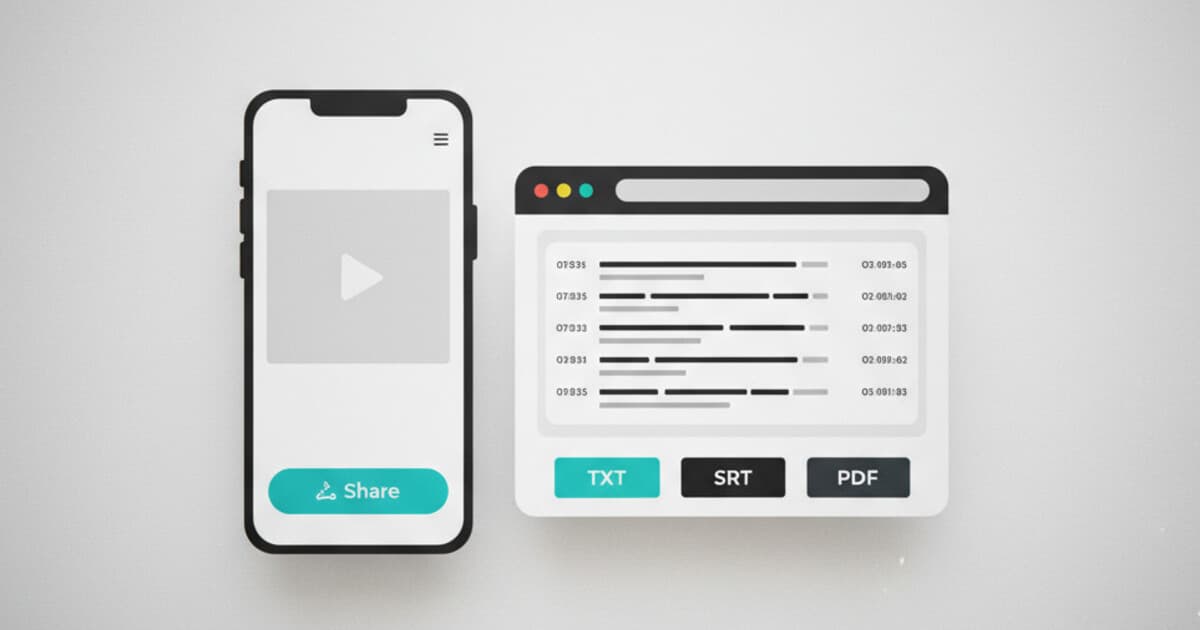
TikTok doesn't offer a transcript button. YouTube built one into the player years ago, and TikTok never followed.
If you're trying to get the text from a TikTok video, whether it's your own content you want to repurpose or a video you need to reference, there's no obvious way to do it from inside the app.
There are three routes to a TikTok transcript: paste the URL into a transcription tool (fastest), export captions from TikTok Studio if you're the video's creator (limited), or transcribe manually (slowest). This guide covers all three.
To get a TikTok transcript, paste the video URL into a transcription tool like PixScript and you'll have a text file in about 30 seconds. TikTok Studio lets creators export captions from their own videos on some accounts, though availability varies by region. Manual transcription works for private content but runs about 5 minutes per minute of audio.
Why TikTok Transcripts Are Harder to Get Than YouTube
YouTube made transcripts accessible starting around 2019. Open any video, click the three-dot menu below the player, and select "Show transcript" to pull up a full timestamped text panel. TikTok offers no equivalent feature.
The platform added auto-captions, but they display as a visual overlay while the video plays. They can't be copied, downloaded, or exported. When the video ends, they're gone.
This gap matters to content creators who want to repurpose spoken content into written formats without re-listening to every line. It matters to marketers pulling quotes from influencer videos, students referencing educational TikToks in notes, and accessibility-focused creators building transcripts for hearing-impaired audiences. TikTok's native tools serve none of these use cases.
Third-party transcription tools solve the problem by fetching the video audio and converting it to text, typically in under a minute for TikToks under 5 minutes, with export options covering plain text, PDF, and subtitle formats like SRT and VTT that you can upload directly to video editors or platforms.
TikTok's built-in auto-captions also have accuracy issues. They work reasonably well for clear speech in a quiet environment. But technical vocabulary, non-American accents, and background music all drop accuracy enough to make them unreliable for anything you'd publish.
Method 1: Paste the TikTok URL Into PixScript
The fastest way to get a TikTok transcript is a URL-based transcription tool. PixScript supports TikTok directly: paste the link, click transcribe, and the tool processes the audio server-side.
Here's how to do it:
- Open TikTok and find the video you want to transcribe. On mobile, tap the share icon and select "Copy link." On desktop, copy the URL from the address bar.
- Go to pixscript.com and paste the URL into the input field.
- Click the transcribe button. Most TikToks under 5 minutes come back in 15-30 seconds.
- Export in the format you need. TXT is available on all plans. PDF, SRT, VTT, and timestamped exports are included on Pro and above.
This works on public TikTok videos only. Private or restricted content can't be accessed by any third-party tool, because the URL doesn't resolve publicly.
PixScript's free tier gives you 10 transcripts per month with TXT download, covering videos up to 5 minutes long. The Pro plan ($9/month) removes those limits and adds all export formats, timestamps, AI summary, AI rewrite, and translation into 10 languages. Business ($19/month) covers bulk processing of up to 100 URLs at once and translation into 50+ languages.
Method 2: Export Captions From TikTok Studio (Creators Only)
If you've posted a TikTok with auto-captions enabled, TikTok Studio gives some accounts the option to download caption files. This only works for your own videos.
To try it:
- Go to studio.tiktok.com and sign in.
- Open the video you want.
- Select "Edit video" and look for the captions or subtitles section.
- If a download or export option appears, save the caption file.
Availability varies by account type and region. TikTok has been rolling this out gradually, so some accounts don't have it yet. If the option isn't there, the URL method works without any account setup.
Accuracy on TikTok's auto-captions is inconsistent. For clean, quiet speech it's often usable. For videos with background audio, technical terms, or accented voices, expect errors that need fixing before you publish.
Method 3: Transcribe Manually
Manual transcription requires nothing beyond your ears and a text editor. Play the video, listen, and type what you hear.
The main cost is time. Most people work at roughly 4-6 minutes per minute of audio, so a 3-minute TikTok takes 12-18 minutes of focused effort. For a 60-second video, it's more manageable.
If you go this route, oTranscribe (free, browser-based) helps a lot. It lets you slow playback to 50-75% speed and use keyboard shortcuts to pause without lifting your hands from the keyboard, which cuts the time by roughly a third.
Manual transcription makes the most sense when the video is private and no external tool can access it, you need a verbatim document for legal or formal purposes, or the video is under 90 seconds and you don't want to set up an account anywhere.
What to Do With a TikTok Transcript
The transcript itself is the starting point. Here's what you can build from it.
Repurpose into written content. A 60-second TikTok contains roughly 120-180 spoken words. That's a solid social caption, an email intro, or a paragraph in a blog post. PixScript's AI rewrite feature can turn the raw transcript into a formatted blog post or social caption in one pass.
Build subtitles for your own TikToks. If you've transcribed your own video, the SRT file from PixScript works as a subtitle file you can upload when editing or reposting. Subtitles matter because many users watch TikTok without sound, and higher completion rates correlate with broader algorithmic reach. Our guide on how to add subtitles to TikTok videos walks through the upload process step by step.
Translate for a global audience. PixScript can translate transcripts into 10 languages on Pro or 50+ on Business. If you're building a following in non-English markets, translated transcripts let you create multilingual subtitles from one source video without re-recording anything.
Research competitors. Transcribing competitor TikToks gives you a searchable, quotable record of their talking points and product claims. Our comparison of the best tools to transcribe TikTok videos covers the main options side by side if you're evaluating what fits your workflow.
Frequently Asked Questions
Can you get a transcript from any TikTok video? You can transcribe any public TikTok using a third-party tool like PixScript. Private videos and restricted content can't be accessed externally. TikTok's built-in caption export only works on your own videos through TikTok Studio, with availability varying by account and region.
How accurate is TikTok transcription? Accuracy depends on audio quality and the tool. PixScript handles clear speech in quiet environments well, typically 90-95% for standard English, but accuracy drops with heavy accents, background music, or overlapping speakers. Review the transcript before publishing.
Is there a free way to get a TikTok transcript? Yes. PixScript's free tier includes 10 transcripts per month with TXT download, and TikTok Studio's caption export is free for creators with access. Manual transcription is always free but slower.
How long does transcription take? With PixScript, most TikToks under 5 minutes process in under a minute. Manual transcription runs about 4-6 minutes of work per minute of audio, so a 2-minute TikTok takes 8-12 minutes to do by hand.
Can I translate a TikTok transcript into another language? Yes, through PixScript. Once you have the transcript, the platform can translate it into 10 languages on Pro ($9/month) or 50+ languages on Business ($19/month), covering Spanish, French, Portuguese, German, Japanese, Korean, and many more.
Start Getting Your TikTok Transcripts
For most situations, pasting the URL is the right move. It takes under a minute and gives you a text file ready to edit, repurpose, or translate. TikTok Studio works if you're a creator with access to the export feature; otherwise, the URL method needs no account at all.
If you want to give PixScript a try, the free tier covers 10 transcripts per month across YouTube, TikTok, and Instagram Reels, with no software to install. Sign up at pixscript.com to get started.